Completing the Medication Review
To complete the medication review:
- Select Complete.

The Checklist for Completeness window appears.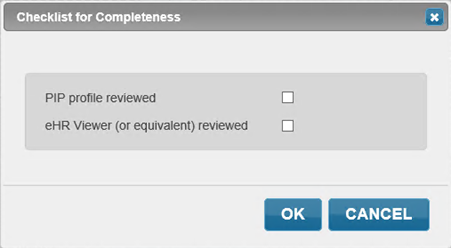
- Select the appropriate PIP profile viewed and eHR Viewer (or equivalent) reviewed checkboxes.
- Select OK. The Consent window appears.
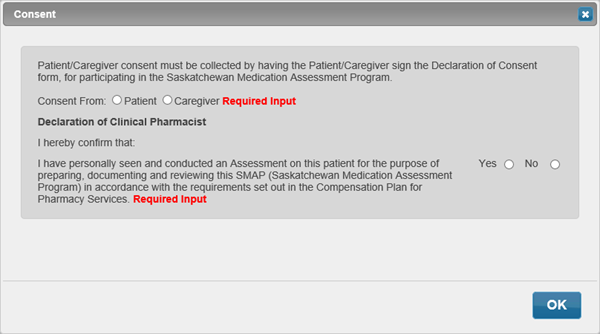
-
Select OK. The Consent window closes to the medication review. The Complete button changes to Save Data and then to Print.
Note: If patient’s signature hasn’t been captured, the Patient Signature window will appear.
- Select Print to print the medication review. The Print Options window appears.
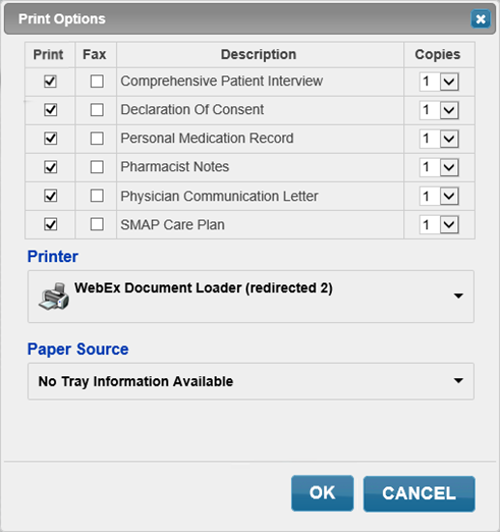
- Select Print or Fax checkbox for each page to indicate if the page should be printed or faxed.
- Select OK.
Note: Once the medication review is complete in Patient Centre the professional services prescription for the patient will be placed on the Nexxsys Workbench >To Do tab. To complete the billing of the service, detail the prescription and select Fill.